Writing to the phone
17seconds
4.5 GB video17 s
400 photos22 s

Plug it in and it mounts like any drive. Drag files both ways, run rsync, open a photo in place. Nothing to install on the phone, and no Android File Transfer.
Favourites
Desktop
Downloads
Documents
Locations
Macintosh HD
Pixel 9
Projects
Invoice.pdf
Screenshot.png
DCIM
Download
Music
Pictures
Movies
SD Card
IMG_2041.JPG
IMG_2042.JPG
IMG_2043.JPG
IMG_2044.JPG
IMG_2045.JPG
IMG_2046.JPG
IMG_2047.JPG
VID_2048.MP4
DesktopPixel 9DCIMCamera
3 items, 412 GB available6 items, 137 GB available8 itemsCopied IMG_2041.JPG to Desktop
10:08
Thursday, 16 October
Android System
USB debugging connected
Tap to turn off USB debugging
How it works
SideMount is a file system extension, so the phone is a volume every program on your Mac can use. Finder, the terminal, rsync, Photoshop, anything that opens a file.
It is the switch Android uses to give a computer real access to its storage. The app shows you where it is, and the phone asks you to allow this Mac the first time.
SideMount speaks to it over the cable directly. There is no adb to install, no server in the background, and nothing to sideload onto the phone.
Internal storage is the root, and an SD card is a folder at the top. Eject it when you are done, like any drive.
Cable or Wi-Fi
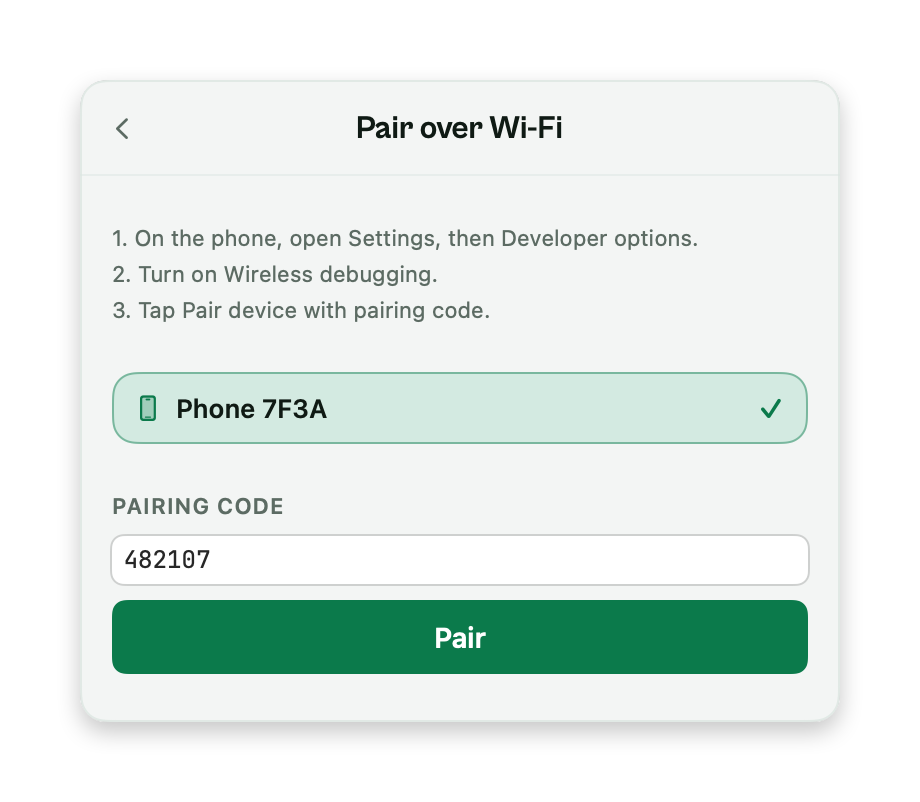
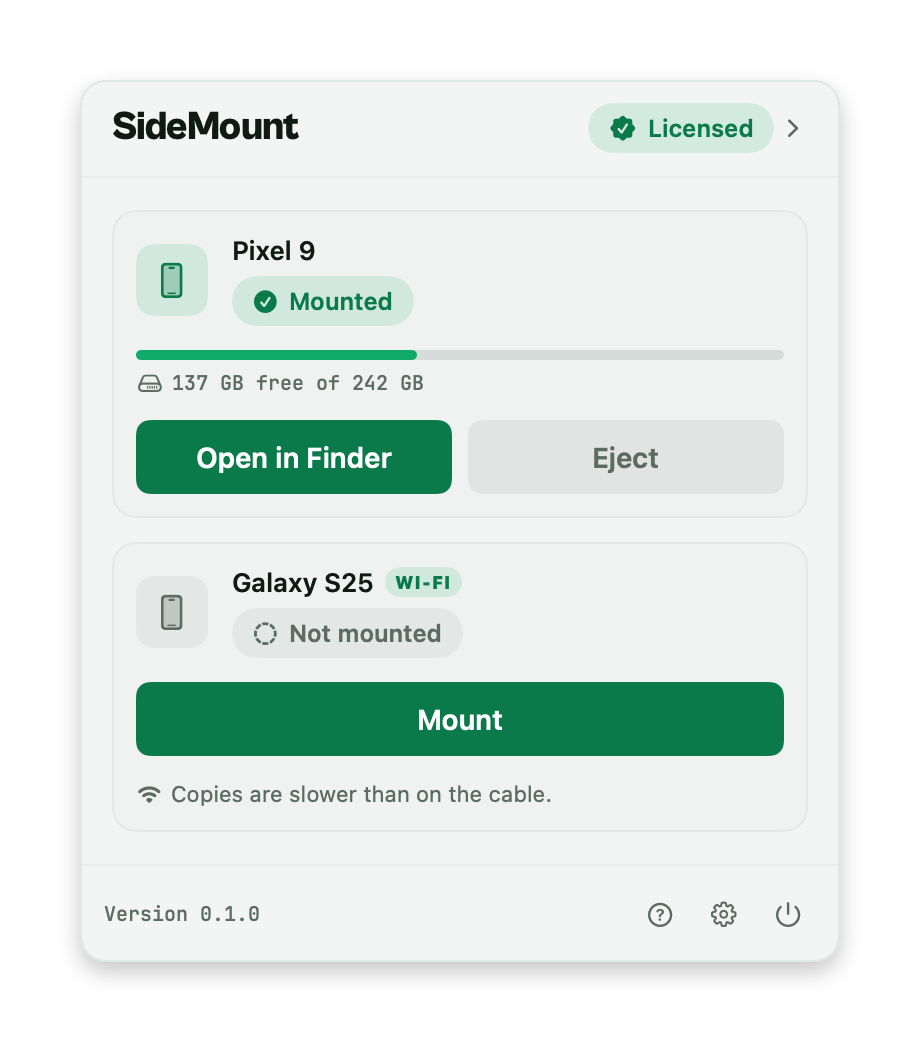
The cable is the fast way and needs nothing beyond USB debugging. A phone on Android 11 or later can also pair over Wi-Fi with Android's own wireless debugging, once, and then it appears whenever it is on your network.
Full speed. Plug in and it mounts, with nothing to pair.
About 13 to 18 MB/s on our home Wi-Fi, against 270 to 280 on the cable. Right for documents and a few photos. On both, SideMount uses the cable.
Speed
Measured on an AYN Thor over USB 3, copying to and from the mounted phone: one 4.5 GB video, then 400 photos of 5 MB each. With SideMount 0.3.1.
Writing to the phone
17seconds
4.5 GB video17 s
400 photos22 s
Reading from the phone
16seconds
4.5 GB video16 s
400 photos13 s
Folders of thousands of small files take longer, because every file is its own request to the phone. On an older USB 2 phone the cable is the limit, at about 21 MB/s, whatever app you use. If a copy feels slow, check the cable and the port first: a charging cable has no data lines at all.
What you get
Plug in two and both mount, each as its own volume. Copy between them in Finder if you like.
Extended attributes stay on the Mac, so macOS never scatters its dot-underscore files through your camera roll.
A card shows up as a folder called SD Card at the top of the volume. One place for everything on the phone.
rsync, cp, Finder copy, Quick Look, tags. It is a volume, so a program never needs to know the phone is a phone.
Files go from the phone to your Mac, over the cable or your own network, and nowhere else. No account, no cloud, no telemetry about what you copied.
SideMount checks once a day and never installs anything behind your back.
Pricing
Every plan is the whole app, on up to 3 Macs. The trial is seven days and asks for no card. Prices in US dollars before VAT, which is added at checkout where it applies.
$1.99per month
For a job that ends, or for trying it properly before you commit.
Choose monthlyBest value
$19once
About ten months of the monthly plan, and then it never asks again.
Buy onceThe page you land on after buying activates the licence in the app for you. Not what you hoped for? Ask for a refund within 14 days and you will get one.
It is the only way macOS can get at Android storage properly. The alternative is MTP, the path Android File Transfer uses, and it cannot present a phone as a real volume.
Turning it on does not open your phone to anyone else. Android still asks you to allow each computer by its key, and one item in Developer options takes that back from every computer at once. How to turn it on, phone by phone.
No. SideMount speaks the protocol itself over the cable. Nothing is installed on the phone, and no adb server runs on your Mac.
If you already have adb running for other work, quit it before mounting. A phone offers one connection and only one program can hold it.
Any Android phone that can turn on USB debugging, which is effectively all of them. It has been tested on Android 8 through 15, on phones from several makers.
Yes, on Android 11 or later. Pair the phone once from the panel with Android's wireless debugging: turn it on in Developer options, tap Pair device with pairing code, and type the six digits into SideMount. After that the phone appears whenever it is on the same network as your Mac.
It is much slower than the cable, about 13 to 18 MB/s on our home Wi-Fi against 270 to 280 MB/s on the cable, so it is good for small transfers. For anything large, plug the cable in; when a phone is on both, SideMount uses the cable.
SideMount is built on FSKit, Apple's supported way for an app to provide a file system. The piece it needs arrived in macOS 26. The alternative would be a kernel extension, which is the thing that breaks on every macOS update and asks you to lower your Mac's security.
Your files, no. They move between the phone and your Mac, over the cable or your own Wi-Fi network, and nowhere else. The app talks to the internet for three things: checking your licence, asking whether there is an update, and anonymous usage data such as "a phone was mounted", which you can turn off in its settings. None of them carries anything about your files. The privacy policy lists every detail.
Android refuses to create a file whose name contains any of " * : < > ? \ |, on internal storage and on SD cards alike. SideMount says so at once, with a name error, instead of letting the copy fail halfway. Rename the file on your Mac first. A file that already has such a name on the phone still opens, copies to the Mac and deletes as usual.
The trial is seven days and asks for no card, so you can find out before paying anything. If you have already paid, ask within 14 days and you get your money back.

Plug the phone in. Drag the folder. Eject.